



10 Applications for IoT Across Industries in 2026.
Explore 10 key applications for IoT across sectors, with use cases, benefits, tech tips, security insights and partnership ideas for digital product studios.
10 Applications for IoT Across Industries in 2026.
- IoT adoption in the UK is already mainstream, with the ONS reporting 37% of businesses used at least one IoT or smart device in 2022, rising to 87% for large businesses with 250 or more employees ONS-based UK adoption baseline.
- The strongest IoT use cases are operational, not novelty-led. Predictive maintenance, energy optimisation, resource efficiency, and resilience consistently create the clearest business case OECD manufacturing applications, rural-community applications.
- Rural and remote connectivity matters as much as device choice. Satellite-integrated IoT can keep monitoring running where terrestrial coverage is weak satellite-integrated IoT research.
- Digital studios add the most value when they connect sensors to workflows, building companion apps, dashboards, alerting, and backend services that turn data into decisions.
- Security, segmentation, and integration planning should start on day one, especially in healthcare, industry, buildings, and vehicles.
- IoT works best when you pilot one high-value use case first, prove the operating impact, then expand into adjacent applications.
By 2026, IoT is becoming part of how organisations run homes, factories, farms, vehicles, buildings, and public services. In the UK, that shift already has a practical baseline, because the Office for National Statistics reported that 37% of businesses used at least one IoT or smart device in 2022, rising to 87% among large businesses with 250 or more employees ONS-based UK adoption baseline. That adoption matters because the winning applications for IoT are the ones that reduce waste, sharpen decisions, and fit into existing operations, not sit as disconnected gadgets.
The best deployments start with a simple question, where is the cost, risk, or delay hiding today? In agriculture, it might be irrigation and fertiliser. In manufacturing, it's often unplanned downtime. In public services, it's usually maintenance calls, asset visibility, or response times. In each case, the sensor is only the beginning. Value comes from the software layer around it, the dashboard a manager trusts, the alert that reaches the right person, and the workflow that turns data into action.
A digital product studio can be the difference between raw telemetry and something people use. That means designing companion apps, operational dashboards, device-management flows, secure APIs, and alerting systems that match how teams already work. It also means making trade-offs early, because low-latency edge processing, cloud analytics, satellite backhaul, and legacy-system integration all come with cost, security, and support implications.
1. Smart Home Automation and Energy Management
Smart home systems are the most familiar entry point into IoT because they deliver immediate, visible convenience. Thermostats, lighting, cameras, plugs, and solar monitoring kits can all sit on one platform, but the true value appears when they behave like a coordinated system, not a pile of separate devices. A homeowner can check heating, lighting, and security from one app, while automation handles the repetitive work in the background.
What actually works in homes
The strongest pattern is platform discipline. Google Nest, Amazon Alexa ecosystems, Philips Hue, and Ecobee each work well when households commit to one primary control layer and avoid fragmentation across too many apps and hubs. Solar and battery systems also become more useful once monitoring is tied to day-to-day decisions, instead of being left as a data feed nobody checks.
Security is the first trade-off. Consumer IoT devices are easiest to deploy, but they're also easiest to misconfigure if households keep default passwords, over-permit cloud access, or connect everything to the same network. Network segmentation, strong authentication, and regular firmware updates matter far more than the novelty of voice control.
Practical rule: Start with the devices that reduce the most friction, then add automation only after you've watched real usage for a few weeks.
Implementation and studio partnership advice
A digital studio can help by shaping a clean companion app, unifying device onboarding, and designing simple monthly energy insights that nudge better behaviour. That's where households often need support, because the sensor data itself isn't the product, the decision support is.
- Prioritise the highest-return devices first: thermostats, lighting, and energy monitoring usually justify attention before low-value gadgets.
- Design around one ecosystem: pick platforms that integrate cleanly with the devices you own.
- Build security into setup: force password changes, isolate devices on a separate network, and keep update paths visible.
- Use energy trends, not one-off events: monthly review is more useful than constant alerts.
For product teams, the key question is whether the household wants convenience, security, or savings most. Usually it's all three, but the app should make one of them the primary outcome, otherwise adoption falls off.
2. Industrial IoT and Predictive Maintenance
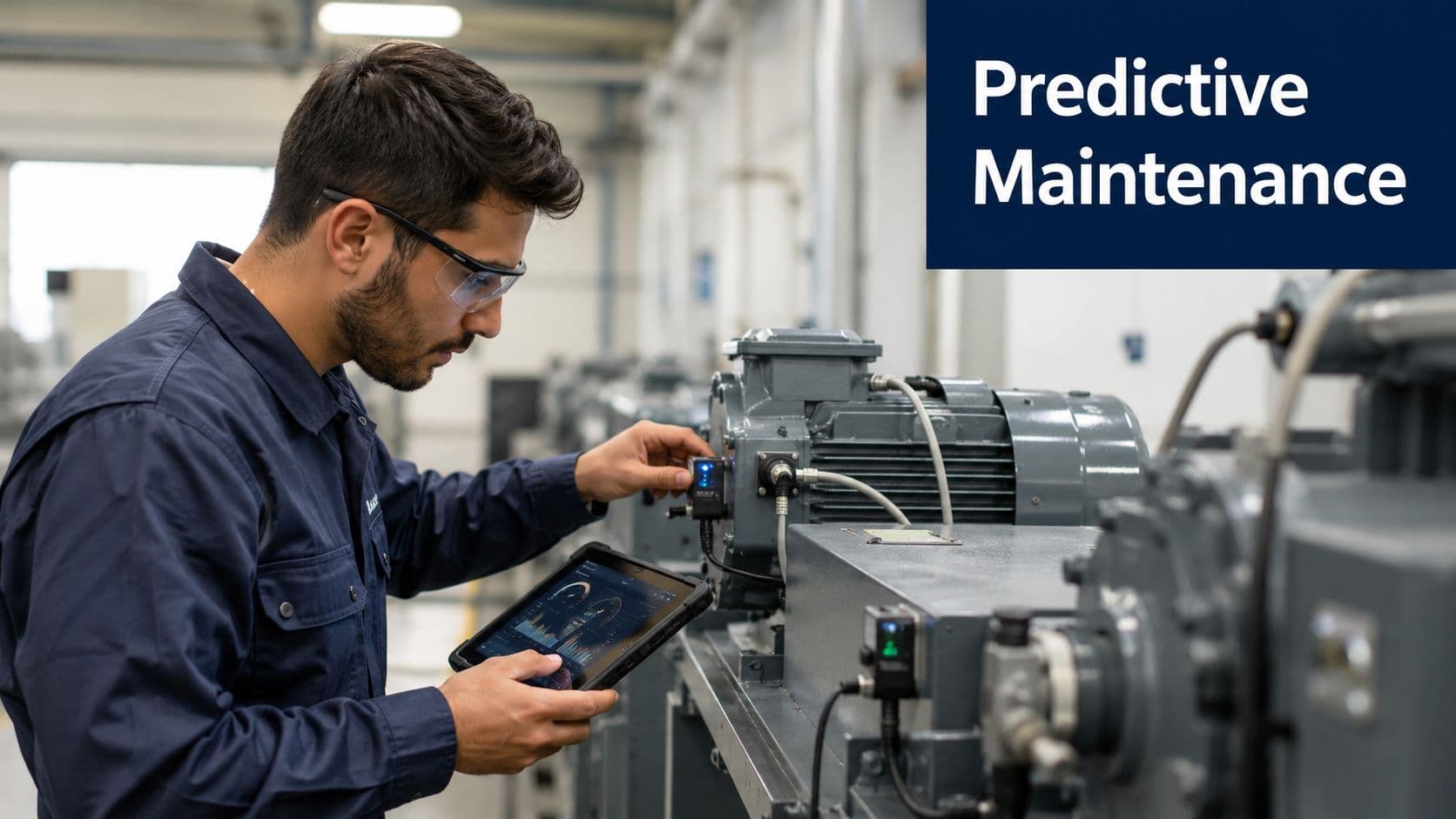
Industrial IoT works best when the goal is clear, keep equipment running and catch failure signs early enough to act on them. Sensors on machines, motors, pumps, and production lines let teams spot drift before it becomes downtime, which is why predictive maintenance is one of the strongest value cases in industrial settings. The OECD notes that IoT systems in manufacturing monitor equipment in real time to predict failure before downtime occurs, and it also describes UK-relevant applications such as smart meters, asset tracking, and production optimisation, with benchmark firms seeing up to 30% equipment-efficiency gains OECD industrial IoT applications.
The operational logic is direct. If a bearing runs hotter than usual, a vibration pattern shifts, or power draw changes, maintenance can happen before the line stops. That changes the cost conversation from emergency repair to planned intervention.
A useful deployment starts with the assets that fail often, stop production, or create the highest repair cost. Teams that instrument everything at once usually end up with too much telemetry and no clear action path. Pick a narrow set of machines first, define what normal looks like, and connect the IoT layer to the ERP or maintenance workflow so alerts become tasks instead of extra screens.
The risk is not only technical, it is organisational. If technicians cannot see why an alert matters, they will ignore it after a few false positives. A good monitoring program also needs cybersecurity from the start, because industrial devices are part of critical operations, not disposable endpoints. Keep them isolated from office networks, control access tightly, and build patching into the maintenance routine.
A useful test is simple: if a maintenance engineer can't explain why the alert matters in under a minute, the alert design needs work.
Digital studios add value when they turn machine data into tools maintenance teams can use. That usually means a maintenance dashboard, mobile inspection flows, alert escalation logic, and a clean data model that sits alongside ERP and asset-management systems. For teams already building reliability processes, condition monitoring program implementation gives a practical reference point for how sensor data, inspection discipline, and response ownership fit together.
- Audit assets before wiring sensors: start with the failure points that hurt production most, not with every machine on the floor.
- Set KPIs before go-live: define what downtime, fault detection, and service response mean before the first sensor is installed.
- Design for scale early: high-frequency telemetry needs stable storage, processing, and visualisation.
- Bring integrators in early: the best results come from teams that understand both operations and software.
The objective is not to make factories “smart” in a vague sense. It is to keep production moving, reduce avoidable stoppages, and give engineers information they can trust.
3. Healthcare IoT and Remote Patient Monitoring
Healthcare IoT is most useful when it extends care beyond the clinic without adding avoidable friction for patients or staff. Remote patient monitoring gives clinicians a way to follow vital signs, symptoms, and recovery patterns between appointments, which matters most for chronic conditions and post-discharge care. The trade-off is clear. Patient data is highly sensitive, and a poorly designed system can create more work than it removes.
The workflow has to fit the clinical setting first. Wearables, connected monitors, and bedside devices need secure connectivity, readable alerts, and direct integration with electronic health records, or staff end up checking yet another screen instead of acting on patient information. A pilot also needs a realistic support model, because devices that are hard to pair, hard to charge, or hard to troubleshoot quickly lose value in day-to-day use.
Clinical fit, security, and integration have to line up
Device selection should start with clinical trust. Choose tools with proven validation and, where relevant, FDA clearance, then map alerts to specific escalation paths instead of relying on generic thresholds. A pulse alert only matters if someone owns the next step and knows what action to take.
Security and compliance sit inside the architecture, not beside it. HIPAA-class controls, encryption, access logging, and patient consent handling should be built into the system from the start. Battery life and connectivity also shape adoption, because a monitor that is awkward to maintain becomes a burden for patients and a support problem for the care team.
For teams planning remote health monitoring technology, the integration point matters as much as the device itself. The strongest setups connect cleanly to EHR systems, preserve audit trails, and keep clinical review simple enough that nurses and physicians can act without extra admin work.
Designing the care workflow around the people using it
A digital studio adds the most value by shaping the experience around the care pathway. That includes patient onboarding, clinician dashboards, alert routing, and data handoff into existing EHR systems. If those pieces are not aligned, the programme may collect data but fail to change care.
- Keep alerts selective: only escalate readings that need action.
- Design for patient confidence: onboarding, reminders, and support should stay simple.
- Use familiar clinical language: clinicians should not have to learn product jargon.
- Plan for exceptions: battery failure, missing readings, and connectivity gaps need clear handling.
- Define ownership early: every alert needs a named response path, especially outside office hours.
For digital teams, healthcare IoT is less about hardware than about trust, compliance, and workflow fit. It also creates a practical opening for partnership work, because studios that can design the interface, connect the data flow, and coordinate with clinical systems can help providers move from monitoring data to usable care processes. Teams that support operations alongside software planning can also browse farm software features as a reference point for how connected systems organise alerts, records, and response ownership across a live workflow.
4. Smart Agriculture and Precision Farming
Agriculture is one of the clearest applications for IoT because it replaces broad assumptions with field-level decisions. Soil moisture sensors, weather stations, and variable-rate irrigation systems let growers direct water and fertiliser where they are needed. In a UK agricultural deployment cited by the Environmental Farmers Group, this setup helped cut fertiliser input by up to 37%, reduce water use by up to 30%, and lower crop-management costs by around 20% through more precise variable-rate application and irrigation control UK agricultural IoT case study.
The practical gain is straightforward, less waste and tighter control. Drones and multispectral imaging add another layer by spotting stress, disease, or pest problems earlier than visual checks alone, which gives teams more time to respond before damage spreads.
Field connectivity is the hidden constraint
A lot of agriculture content focuses on sensors and overlooks the network. In remote fields, cellular coverage can be patchy, so telemetry strategy matters as much as device selection. Satellite-integrated IoT helps bridge digital divides in remote and underserved areas, supporting environmental monitoring and disaster response where terrestrial coverage is weak satellite-integrated IoT research.
That creates real trade-offs. If latency and cost are acceptable, a cloud-heavy model may work well. If not, edge processing and store-and-forward designs become more practical, especially when crews need data to keep flowing during outages or while equipment is moving between fields.
How to make it usable for farmers
Good farm software does not ask people to become data analysts. It shows moisture trends, irrigation actions, and field-specific exceptions in a format that fits daily routines. A studio adds value by integrating sensor feeds with farm management software, building mobile-friendly views for field staff, and setting clear ownership rules for data so everyone knows who can use what. Teams evaluating the workflow can also browse farm software features to compare how alert routing, record keeping, and response ownership are organised in a live system.
- Begin with the driest or highest-value fields: these usually show ROI fastest.
- Treat connectivity as part of the project: choose links that work in the field, not just in the office.
- Use pilot zones first: prove the workflow before rolling out farm-wide.
- Keep data governance explicit: farmers need clarity on ownership and usage rights.
Precision agriculture works when it saves time and inputs without adding admin burden. If the system is too complex to check before an irrigation decision, adoption will stall.
5. Smart City Infrastructure and Urban Management
City-scale IoT works best when it reduces reactive service delivery. Traffic lights, parking sensors, water leak detection, lighting controls, and air quality monitoring help councils and transport teams respond to what is happening now instead of relying on fixed schedules. The rural-community research also shows that the most concrete uses tend to be maintenance and resilience, such as energy monitoring, street-light outage detection, road-surface monitoring, flood and water-quality sensing, and tank-leak detection rural-community IoT applications.
A practical city programme starts with a single operational problem, then builds outward. The goal is not novelty. It is visible service improvement that residents and field teams can feel.
Public value depends on visible wins
Smart city programmes gain support when people can see the benefit quickly. That may mean less congestion, faster leak detection, better lighting, or cleaner air reporting. Barcelona, Copenhagen, Singapore, London, Amsterdam, and Seoul are often cited because they show how connected infrastructure can sit across transport, utilities, and emergency response, not just one department.
The trade-offs are governance and trust. City data raises privacy concerns, and weak cybersecurity planning creates reputational risk fast. The technical architecture needs clear ownership, access rules, and a rollout path that municipal teams can support. For a broader implementation view, IoT in smart cities is a useful reference for how these systems connect across services.
Practical rule: build the first phase around one service that citizens notice, because visible reliability is easier to defend than abstract digital transformation.
What a studio can build for cities
Digital teams can add value through staff dashboards, public-facing reporting, and integration layers that move sensor feeds into existing municipal workflows. That includes alert escalation, map-based visibility, and data models that can survive multi-department use without forcing every team into a new operating habit.
A strong delivery plan usually starts with operational plumbing before polished visuals. Clean APIs, event routing, permissions, and audit logs matter more than a feature-heavy interface if the city needs to connect lighting, transport, and utilities without creating another silo.
- Start where the service pain is obvious: lighting outages, traffic bottlenecks, or leak detection.
- Design for transparency: residents should understand what is being measured and why.
- Keep cybersecurity in scope from the outset: city systems are public targets.
- Plan for phased expansion: one district or service line first, then scale.
Smart city infrastructure succeeds when it lowers operating friction for local authorities and improves daily life for residents. It fails when it becomes a disconnected analytics project.
6. Connected Vehicles and Fleet Management
Fleet IoT is one of the most commercially direct applications because it connects every vehicle to route efficiency, maintenance, and safety. Telematics devices track location, fuel use, engine health, driving behaviour, and service needs in real time. That gives logistics teams better ETA accuracy, faster emergency response, and a tighter maintenance cycle.
The practical value usually comes from cutting avoidable miles and avoiding preventable downtime. Dispatchers can see where vehicles are, managers can spot risky driving patterns, and maintenance teams can act before a breakdown takes a truck off the road. A good rollout also helps teams decide which alerts deserve immediate action and which ones should be reviewed later, so operators do not drown in noise.
The best systems fit the existing dispatch flow
A fleet platform that does not integrate with dispatch or route-planning tools usually becomes another screen nobody trusts. The useful ones connect location data, vehicle diagnostics, and driver feedback inside one operating view. They also need privacy policies that are clear enough for drivers to understand, because trust is part of the system design.
The integration work matters as much as the sensors. APIs need to pass vehicle status into dispatch software, maintenance systems need clean triggers for service tickets, and route tools need reliable data before they can adjust plans. Fleet teams also need role-based access, because a dispatcher, mechanic, and manager do not need the same level of visibility into every vehicle or driver record.
Cybersecurity matters here too. Fleet data can reveal routes, customer patterns, and vehicle status, so access control, secure APIs, and device authentication need attention from the start.
Where digital studios add value
A studio can design driver portals, fleet dashboards, maintenance triggers, and customer-facing ETA visibility. That matters because the data has to serve both operations and service experience.
Partnering works best when the studio can translate between operations, IT, and fleet vendors. The studio can map the workflow first, then design the interfaces that fit it, while the vehicle hardware and telematics platform handle the data capture. If the fleet already uses a dispatch suite or a maintenance platform, the studio should plan the data handoffs early so the new layer does not force manual re-entry.
- Keep driver communication explicit: explain how data is used and what it is not used for.
- Use coaching, not punishment: behaviour insights work better when they support training.
- Plan for route volatility: fuel price changes and traffic conditions can affect optimisation logic.
- Build for expansion: fleets rarely stay the same size for long.
Connected vehicles work best when the system reduces admin and gives dispatch teams clearer choices. If it slows response times, it is not doing its job.
7. Retail IoT and Smart Store Operations
Retail IoT turns a store into an operating environment you can measure in real time. Shelf sensors, RFID, temperature monitoring, footfall analytics, and smart signage help retailers keep stock visible, cut spoilage, and understand how customers move through the space. The strongest use cases are still practical, not flashy, and the biggest gains usually come from better inventory accuracy and fewer out-of-stocks.
That matters because retail margins are tight and staff time is limited. A system that flags missing stock before a customer does is far more useful than an in-store screen that looks impressive but adds little to day-to-day operations.
Start with one operational problem
The cleanest retail IoT projects usually begin with a single pain point. A grocer might focus on temperature-sensitive goods, while a fashion retailer might focus on stock visibility and size availability. The point is to connect the shelf, the stockroom, and the checkout into one working view, then tie that view to POS and inventory systems so the IoT layer does not become another data silo.
Amazon Go, Walmart shelf-scanning robots, smart mirrors, and RFID-enabled loss prevention each show a different version of the same operational goal. They help store teams see what is on display, what is in reserve, and what has moved through the register. That only works if the integration is planned early, because clean data handoffs matter more than the hardware itself.
Privacy is the main trade-off in customer analytics. If a store uses motion tracking or computer vision, the policy needs to be visible and understandable. Staff also need training so they know which alert means restock, which points to shrink risk, and which is a system fault.
The retail teams that get value fastest treat IoT as an inventory and service tool first, and a customer-experience layer second.
What digital studios should design first
Digital studios can help retailers choose product categories, define store-floor dashboards, and set up alerting that staff can act on immediately. In practice, that usually means starting with high-value stock or goods that spoil quickly, because the operational payback is easier to prove and easier to measure.
The interface design has to match the way stores run. Managers need a clear view of exceptions. Floor staff need short, specific actions. IT teams need reliable data flows, device monitoring, and a way to patch or replace endpoints without disrupting the store. If the retailer already uses a POS platform, inventory suite, or loss-prevention system, the studio should map those handoffs before the first dashboard is built.
Security deserves the same attention as merchandising. Retail IoT can expose footfall patterns, staffing rhythms, and store-performance data, so access control, device authentication, and secure APIs should be planned from the start. Any camera-based or sensor-based system also needs a clear retention policy so the store is not collecting more data than it can defend.
- Connect IoT to POS early: stock counts only help if they stay aligned with sales data.
- Use layout insights carefully: traffic patterns can improve merchandising if teams interpret them in context.
- Train staff on alert response: the system should reduce guesswork, not create extra work.
- Expand by category: prove value in one area of the store before widening scope.
Retail IoT works when it helps shelves, stockrooms, and store teams make faster decisions with less manual checking. It fails when the technology is visible but the operational benefit is not.
8. Environmental Monitoring and Climate Sensing
Environmental monitoring often becomes the first IoT programme that delivers visible public value, because it turns local conditions into data teams can act on. Air quality sensors, water monitoring stations, soil probes, and climate networks help organisations detect pollution, protect habitats, and respond faster to environmental risk. They also support regulatory reporting, where consistency and traceability matter as much as coverage.
A strong deployment usually starts with a narrow question, such as whether a river segment is changing, whether particulate levels are drifting, or whether a protected area is under stress. Fixed stations give continuity, mobile sensing fills coverage gaps, and fog computing keeps local processing running when connectivity drops. That mix is practical in forests, coastlines, and other areas where cloud-only designs are too fragile.
Data quality comes before dashboard design
A lot of environmental programmes collect readings but never validate them properly. Sensor drift, maintenance gaps, and inconsistent calibration can quickly erode trust, especially when the readings inform public health or compliance decisions. Dashboards help, but only if the data behind them is defensible.
A useful operating model includes a clear maintenance cycle. Sensors need replacement, calibration, and periodic checks against known standards. Field teams also need simple status flags, so they can spot a failing unit before it produces misleading readings.
Practical rule: if the data can affect public health or compliance, validation belongs in the operating model from day one.
Practical integration choices for digital studios
Digital teams add the most value when they treat environmental sensing as a data system, not just a map. That usually means building dashboards, public visualisations, researcher portals, and alerting tools that show trends, exceptions, and location-based patterns without burying the signal. If the project already uses GIS, cloud analytics, or a monitoring platform, the integration work should focus on clean data handoffs and a clear chain from sensor to action.
Security needs to be planned early because environmental systems often combine remote devices, public dashboards, and operational telemetry. Device authentication, signed firmware, access controls, and secure APIs should be part of the first build, not added later. Where field devices connect through gateways or shared networks, segmentation matters too, because a poorly isolated sensor network is easy to disrupt.
For partnership-driven work, digital studios usually fit best as the interface and integration layer. They can work with sensor vendors, environmental consultants, universities, and public agencies to define data models, set validation rules, and shape reporting workflows. That collaboration matters more than polished visuals, because the project succeeds only when field data, technical systems, and decision-makers stay aligned.
- Build for mixed audiences: scientists, regulators, and citizens need different views.
- Keep maintenance visible: log replacements, calibration, and sensor health.
- Use distributed deployment thoughtfully: fixed and mobile sensors solve different problems.
- Plan for low-connectivity environments: edge processing can reduce dependence on continuous cloud links.
Environmental sensing works when the data is trusted and used in real workflows. If the project cannot support validation, security, and maintenance, it becomes a collection exercise, not a decision system.
9. Building Management Systems and Smart Facilities
A building can waste energy, frustrate occupants, and hide faults in plain sight if its systems stay disconnected. Heating, ventilation, air conditioning, lighting, access control, fire safety, and occupancy sensing work better when a building management system ties them together and sends each signal to the right control point. The practical goal is straightforward, use occupancy and environmental data to run space more efficiently without making the building harder to use.
Facilities work also connects well with the broader internet of things smart buildings conversation, because the value comes from linking operations, comfort, and maintenance in one view. In practice, the strongest deployments usually start with energy monitoring, then extend into comfort control and fault response once the data is trusted.
A useful building system has to do more than collect readings. If the controls are too aggressive, occupants notice temperature swings, access rules feel inconsistent, or lights turn off at the wrong time. That pushes people to work around the system, which defeats the point. Good design sets clear comfort ranges, defines when automation should yield to manual control, and explains what the system is doing in plain language.
Security has to be planned with the building layout. Access control, operational telemetry, and remote management tools often sit in the same environment, so segmentation, logging, and role-based permissions should be built in from the start. Device identity, firmware control, and secure APIs matter just as much as dashboards, because a building system that can be reached too easily can also be disrupted too easily.
For digital studios, the best role is usually the integration and interface layer. That means shaping a control layer above existing BMS platforms, connecting fault reports to service workflows, and making energy, occupancy, and maintenance data visible in one place. Studios can also support the technical handoff by mapping data fields, defining validation rules, and designing mobile views that facilities staff will use.
A practical implementation path usually looks like this:
- Start with energy management: it gives the clearest operational case and shows whether the data pipeline is reliable.
- Add occupancy sensing in busy zones first: conference rooms, shared work areas, and reception spaces usually reveal wasted conditioning and lighting fastest.
- Connect alarms to maintenance workflows: alerts only matter when they create a tracked action, not another inbox message.
- Train facilities teams on exceptions and overrides: staff need confidence to handle edge cases without breaking the control logic.
- Plan integrations with existing equipment early: older controllers, BMS platforms, and vendor APIs often shape the project more than the sensor choice does.
The delivery model matters as much as the hardware. Digital studios often work best when they coordinate with building engineers, sensor vendors, and facilities managers, then turn that mix into a system people can run every day. That approach keeps the project grounded in operations, not one-off visualisations, and it leaves room for apps for wearables if the building programme later expands into staff safety or maintenance tooling.
Smart facilities projects succeed when they cut waste without adding friction. The technology should make the building easier to manage, not more dependent on constant manual intervention.
10. Wearable IoT Devices for Workplace Safety and Productivity
Wearable IoT works best when it reduces risk on the job, not when it turns into surveillance. Smart helmets, vests, watches, badges, and gloves can track location, exposure, fatigue, ergonomics, and health signals in hazardous environments. Construction crews, mining teams, warehouse staff, healthcare workers, and emergency responders all benefit when the right alert reaches the right person fast.
That only works if workers trust the system. If the device feels like a monitoring tool first and a safety tool second, adoption drops quickly.
Safety, privacy, and comfort have to be designed together
The hardware has to be light, comfortable, and easy to wear through a full shift. If it catches on clothing, irritates the skin, or requires too much interaction, people stop using it even when the sensors are accurate. Clear privacy rules, defined data boundaries, and plain-language explanations all help make the programme credible.
Practical teams also connect wearables to the wider safety stack. Heat sensors, air-quality monitors, restricted-zone controls, and incident reporting systems should feed the same operational view, so supervisors can see context instead of isolated alerts.
Practical rule: start with hazard reduction, not productivity scoring, because trust grows when people see direct protection.
A digital studio can make that system easier to operate by shaping the alert logic, supervisor views, incident logs, and escalation flows. It can also map out which signals need immediate response and which should be stored for later review. That design work matters as much as the device choice itself, especially when clients want apps for wearables that connect field alerts, compliance records, and day-to-day workflows.
- Keep privacy explanations simple: workers should know what is collected and why.
- Design comfort into procurement: if the device is awkward to wear, it will not last.
- Connect to site systems early: wearable data matters more when it joins the broader safety stack.
- Train supervisors as well as workers: response is part of the product.
Wearables deliver value only when the organisation can show that they lower risk and improve response. If the proof is weak, the programme will lose support, even if the technology itself is sound.
Partnering to Bring IoT Solutions to Life
The strongest applications for IoT all share the same pattern, they connect a physical signal to a business decision. That decision might be to irrigate a field, dispatch a mechanic, escalate a patient alert, reroute a truck, or adjust a building's energy use. The common failure point is not the sensor, it's the software layer around the sensor, especially onboarding, permissions, dashboards, alerting, data integration, and support.
Arch fits naturally into that layer because IoT programmes usually need more than device connectivity. They need companion apps, admin portals, secure APIs, backend services, and usable dashboards that help teams act on sensor data without adding friction. In projects like these, the right partner helps define the workflow first, then shapes the technical architecture to match. That reduces rework, improves security planning, and makes it easier to move from pilot to production.
The practical way to start is with one use case that has a clear owner and a measurable operational pain. Then map the devices, the data path, the alert logic, and the handoff into existing systems. If you're exploring an IoT product, or you need a studio that can bridge strategy, design, and engineering, speak with Arch and define the first release around real operational value, not broad ambition.
Arch can help design and build the companion apps, dashboards, and backend services that make IoT programmes usable in practice. If you're planning a connected product, visit Arch to explore how a UK digital product studio can support your next IoT build.