



Bespoke Software Features UK Businesses Ask For.
Six bespoke software features come up in almost every UK requirements conversation. The ones buyers forget are where the budget goes.
Bespoke Software Features UK Businesses Ask For.
Key Takeaways
- Six features come up in almost every UK requirements conversation: role-based access with an approval chain, an audit trail, reporting, integration, document handling and notifications.
- That unglamorous list is where most of the build hours go. The dashboards and the automation sit on top of it and do not work without it.
- Permissions are the feature most often described in a single line and least often that simple in practice.
- UK GDPR and accessibility obligations are legal requirements, so they belong on the list from the beginning.
- Deciding which features are in phase one, before delivery starts, is the single most useful thing a requirements author can do.
This guide covers which bespoke software features UK businesses request, what they forget, and the legal requirements that belong on the list from the beginning, before a security review finds them. If you are earlier in the decision, our guide to bespoke software development in the UK covers whether custom is the right route at all.

Every requirements list starts here, and the important items are the ones nobody wrote down.
The features UK businesses actually ask for
The bespoke software features below are ordered by how often they appear in a requirements conversation. Ordered by how interesting they are, the list would look almost opposite.
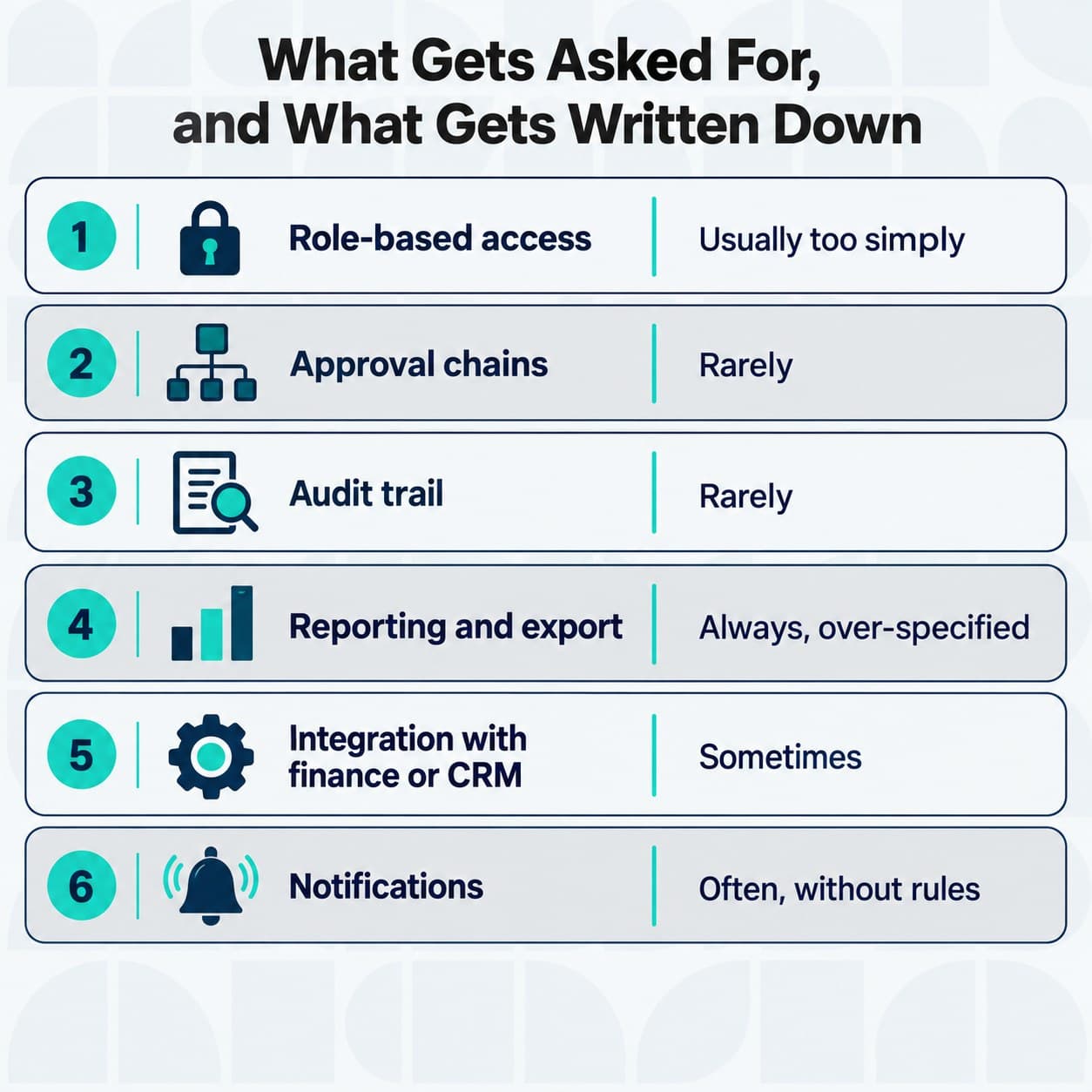
The six features that appear in almost every requirements list, and the three that should.
Feature | How often it is requested | How often it is in the first draft |
|---|---|---|
Role-based access | Almost always | Sometimes, and usually too simply |
Approval chains | Almost always | Rarely |
Audit trail | Almost always, eventually | Rarely |
Reporting and export | Always | Always, and usually over-specified |
Integration with finance or CRM | Very often | Sometimes |
Document upload and storage | Very often | Often |
Notifications | Always | Often, without rules |
Accessibility to WCAG 2.2 | Increasingly | Almost never |
Data protection by design | Legally required | Almost never |
The gap between the first two columns is the useful part of that table. The things that get requested and the things that get written down early are different lists, and the difference is discovered during delivery at the worst possible moment.
Roles, permissions and the audit trail
Of all the bespoke software features on a requirements list, permissions are the ones most often described in a single line and least often that simple in practice.
Most first requirements lists describe two kinds of user, an administrator and everyone else. Almost no real organisation works that way.
The questions worth answering early are who can see data they did not create, who can approve, whether approval limits vary by value, and what happens when the approver is on leave. That last one is the most commonly missed, and it is the one that produces shared logins.
An audit trail is the other half of this. Who changed what, when, and what the previous value was, retained for a defined period.
Buyers often treat the audit trail as a compliance feature, and it is, but the daily value is dispute resolution. When two departments disagree about what happened, the audit trail is the answer, and without one the argument is settled by seniority.
Permission question | Why it matters | What happens if unanswered |
|---|---|---|
Who can see other people's records | Data minimisation and trust | Over-permissive defaults nobody revisits |
Who approves, and up to what value | Financial control | Approval by email, outside the system |
What happens when an approver is absent | Continuity | Shared logins, which void the audit trail |
Who can export | Data protection exposure | An unmonitored route out of the system |
Who can delete, and is it reversible | Recoverability | Permanent loss from a routine mistake |
Reporting that someone will actually open
Reporting is among the bespoke software features buyers feel most confident specifying, which is precisely why it is worth slowing down on. It is the most over-specified item on a typical list, and the most under-used after launch.
The honest pattern is this. Buyers ask for a dashboard, the dashboard is built, and within three months people are exporting to a spreadsheet and doing the analysis there.
That is not a failure of the dashboard. It is a signal that a dashboard and a report answer different questions.
A dashboard answers "is anything wrong right now". A report answers "what happened, and why", and people want to manipulate the latter.
The practical guidance is to build one dashboard with no more than six numbers on it, make export excellent, and resist the fifteen-chart specification until there is evidence anyone wants it. A discovery phase is the right place to test that with the people who will actually use it.
Integration with what you already run
Integration is where a bespoke build stops being a standalone application and starts being part of your operation. It is also the group of bespoke software features that most reliably takes longer than estimated.
Four connections come up repeatedly. Finance covers anything involving money, and CRM or case management holds the customer record.
Payroll or HR covers anything involving people. Then there is the spreadsheet nobody admits to, which is usually load-bearing.
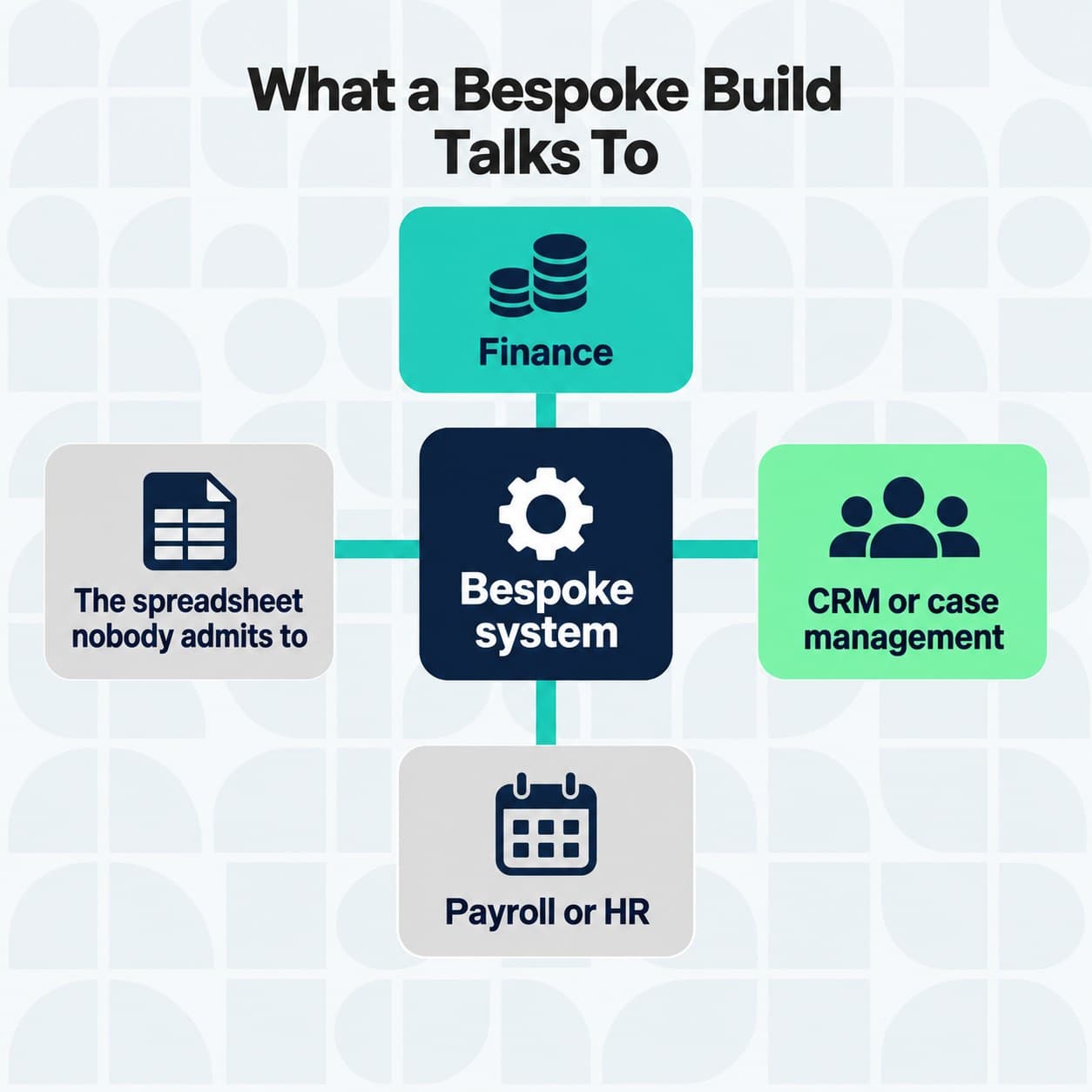
The four systems a bespoke build almost always has to talk to.
That fourth one deserves to be taken seriously. A spreadsheet that has become a system of record usually encodes business rules that exist nowhere else, and replacing it without extracting those rules first is how requirements get missed.
Our post on connecting to existing systems covers the mechanics. The point for a requirements list is that each integration should be named, with a direction and an owner on the other side. "Integrates with our systems" is too vague to build from.
What UK GDPR makes non-optional
These are legal requirements. Writing them as bespoke software features with a named owner is the difference between compliance and a retrospective scramble.
The Information Commissioner's Office is explicit that organisations must implement data protection by design and by default under UK GDPR Article 25, considering privacy at the outset of system design rather than retrofitting it.
A data protection impact assessment is a legal requirement for processing likely to result in high risk to individuals, and failure to carry one out can attract fines of up to 8.7 million pounds or 2 percent of global turnover.
Requirement | What it looks like as a feature | Who owns it |
|---|---|---|
Data protection by design | Minimised fields, defaults set to private | Architecture, at design stage |
DPIA where risk is high | A completed assessment before build | Data protection lead |
Data minimisation | Only collect what is used | Requirements author |
Storage limitation | Automated retention and deletion | Build team |
Subject access | An export of one person's data | Build team |
Retention is the one most often left out entirely. A system with no deletion rule accumulates personal data indefinitely, which converts a compliance obligation into a growing liability. Building the retention rule at the start costs very little, and adding it to a system holding four years of data costs a great deal.
Accessibility, and when it stops being a choice
WCAG 2.2 is the current W3C Recommendation and adds nine success criteria to the previous version. Several of them bite directly on bespoke software, not just marketing websites.
Accessible authentication is the clearest example. It restricts cognitive function tests in login, which affects any system using puzzle-based verification or requiring users to transcribe codes from memory.
For public sector systems this is not a preference. Regulation 6 of the Public Sector Bodies Accessibility Regulations 2018 makes accessibility a legal requirement, and a bespoke internal system used by public sector staff is in scope.
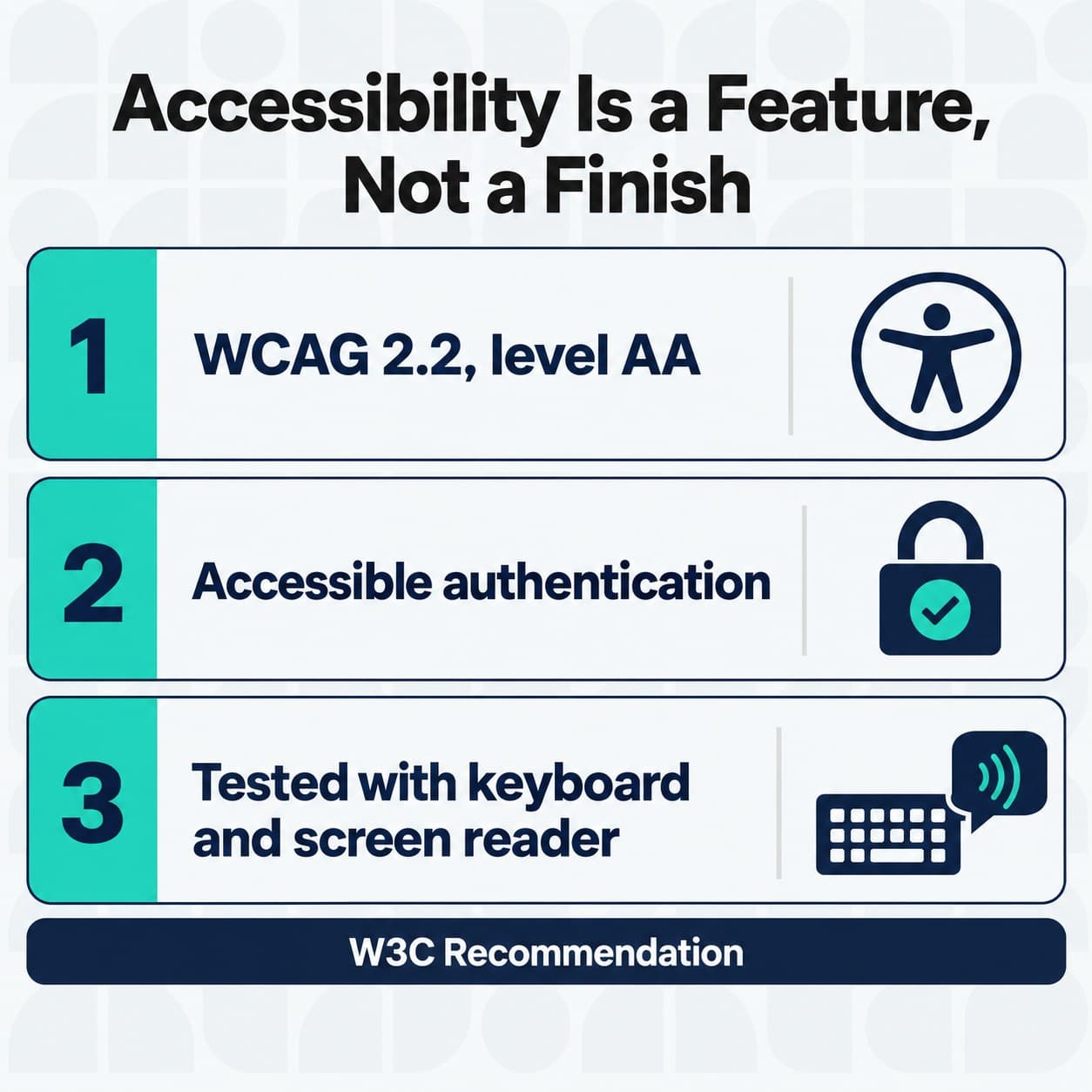
The WCAG 2.2 criteria that change how bespoke software is built.
Even outside the public sector, accessibility is worth specifying as a feature with a testable standard rather than as an aspiration. "Accessible" is not testable. "WCAG 2.2 level AA, tested with keyboard and screen reader before each release" is.
Security features a buyer should specify by name
Security is where requirements lists are vaguest, and it is the easiest place to be specific. Unlike most bespoke software features, the security ones have published standards you can simply name.
Cyber Essentials sets five technical controls as the UK Government's minimum recommended standard, and a growing number of organisations require suppliers to hold it in order to bid for work at all. Naming that certification in a requirements document is a single line that does a lot of work.
The scale of the underlying risk is measured. Government figures show 43 percent of UK businesses experienced a cyber security breach or attack in the past year, with the average cost of the most disruptive breach at 1,600 pounds for businesses.
That average is lower than most people expect, and it is worth reading carefully. It is an average across all businesses and all breaches, most of which are minor. The distribution matters more than the mean, and the tail is where the serious incidents sit.
Arch holds Cyber Essentials Plus and builds software built to order for regulated and public sector organisations, which is the context in which these requirements are usually non-negotiable.
How to sequence what you build
Not all of these bespoke software features can be in phase one. Deciding which are, before delivery starts, is the single most useful thing a requirements author can do.
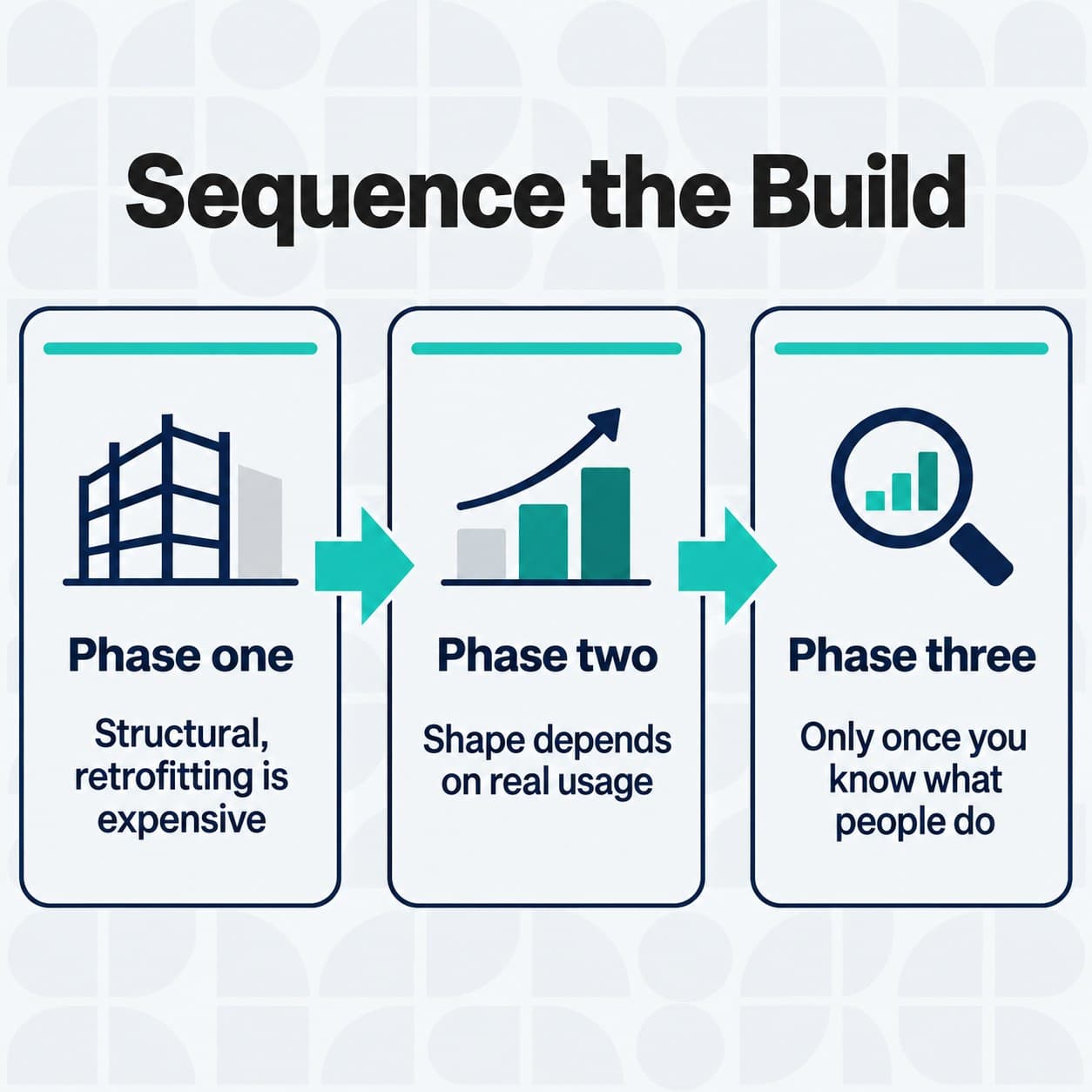
Phase one, phase two, phase three. The ordering is the argument.
Phase | What goes in it | Why here |
|---|---|---|
One | Core workflow, roles and permissions, audit trail, data protection by design, accessibility baseline | Structural. Retrofitting any of these is expensive |
Two | Integrations, approval chains, reporting and export, notifications | Valuable, but the shape depends on real usage |
Three | Dashboards, automation, AI-assisted features, self-service configuration | Only worth building once you know what people actually do |
The rule behind that table is simple. Anything structural goes in phase one, because it is cheap to include and expensive to add. Anything whose right shape depends on watching people use the system goes later, because building it early means building it wrong.
Automation and AI-assisted features belong in phase three for exactly that reason. Automating a process nobody has yet run in the new system automates your assumptions about it.
For a first release, starting with a minimum viable product is usually the right shape, provided the phase one structural items are genuinely included rather than deferred in the name of minimalism. Larger programmes, and enterprise applications in particular, carry more of the compliance load in phase one by necessity.
Frequently asked questions
What are common features companies request in bespoke software design in the UK?
The bespoke software features requested most often are structural rather than exciting.
Role-based access with approval chains, an audit trail, reporting and export, integration with finance and CRM, document handling and notifications. Those six appear in nearly every UK requirements conversation.
UK-specific requirements add data protection by design under Article 25, a DPIA where processing is high risk, retention and deletion rules, and WCAG 2.2 accessibility, which is a legal requirement for public sector systems.
Expectations: bespoke software development, start to finish
Expect discovery before estimation, a costed scope you could hand to another supplier, and a phased build where structural features come first. Expect to be asked questions about your process that you have not previously had to answer precisely.
Expect the integration work to take longer than the interface work, and expect the reporting requirement to change once people start using the system.
What does bespoke software for regulated industries need that other software does not?
Evidence, mainly. The same features, but with the ability to demonstrate they work: a completed DPIA, retention rules that can be shown running, an audit trail that cannot be edited, and access controls that map to a documented policy.
Regulated builds also tend to need data residency stated explicitly, and supplier certification such as Cyber Essentials as a precondition rather than a preference.
How much does bespoke software cost in the UK?
The honest answer is that the cost is driven by integration count, user role complexity and compliance load far more than by feature count. A system with four roles and six integrations costs more than one with twenty screens and none.
Anyone quoting a figure before understanding those three variables is quoting a number rather than a price. Our posts on why companies commission bespoke software and the case for custom software cover where the value comes from.
Is bespoke web app development different from bespoke software generally?
The bespoke software features you would specify are largely the same. The differences are that browser-based delivery makes accessibility obligations more visible, authentication and session handling carry more weight, and offline behaviour has to be decided explicitly rather than assumed.
Sources
- Information Commissioner's Office, Data protection by design and by default, 2026. https://ico.org.uk/for-organisations/uk-gdpr-guidance-and-resources/accountability-and-governance/guide-to-accountability-and-governance/data-protection-by-design-and-by-default/
- Information Commissioner's Office, What is a DPIA?, 2026. https://ico.org.uk/for-organisations/uk-gdpr-guidance-and-resources/accountability-and-governance/data-protection-impact-assessments-dpias/what-is-a-dpia/
- World Wide Web Consortium, Web Content Accessibility Guidelines (WCAG) 2.2, 12 December 2024. https://www.w3.org/TR/WCAG22/
- UK Government, Public Sector Bodies (Websites and Mobile Applications) (No. 2) Accessibility Regulations 2018, Regulation 6, 23 September 2018. https://www.legislation.gov.uk/uksi/2018/952/regulation/6
- National Cyber Security Centre, Cyber Essentials: overview, 2026. https://www.ncsc.gov.uk/cyberessentials/overview
- Department for Science, Innovation and Technology, Cyber Security Breaches Survey 2025, 30 April 2025. https://www.gov.uk/government/statistics/cyber-security-breaches-survey-2025/cyber-security-breaches-survey-2025
These features usually end up in a browser-based system, which is the kind of web app development Arch does for UK businesses.