



How to Write a Product Specification Document in 2026.
How to write a product specification document, with objectives, user stories, acceptance criteria and engineering handoff.
How to Write a Product Specification Document in 2026.
Share Via:
You've got approval for the build, a rough feature list in a deck, and three people describing the same screen three different ways. That's usually when someone asks for a spec. Learning how to write a product specification document properly means turning that list into a decision and risk record that engineering, design and QA can all test against.
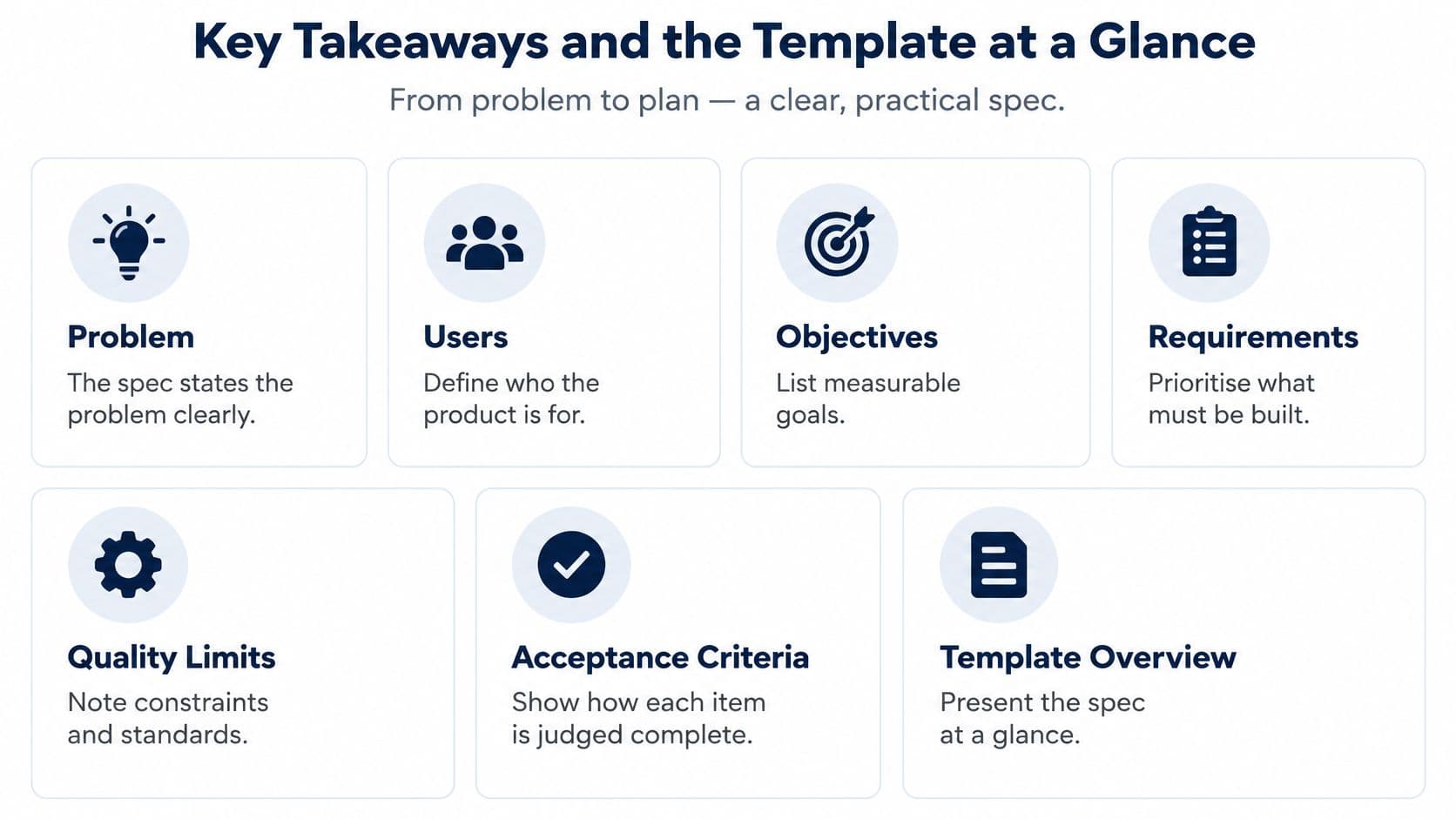
Key Takeaways and the Template at a Glance
- State the problem first: A spec that starts with features gives you no way to judge them.
- Make every requirement testable: Each one needs an ID, priority, owner, evidence link and acceptance criteria.
- Write quality limits down: Performance, accessibility, security and compatibility need numbers, not adjectives.
- Expect change: Use version control, recorded decisions and change control from day one.
The Eight Parts
- Problem statement and background: Good means evidence and cost. Failing means a feature list with no problem behind it.
- Objectives with baseline and target: Good means a number and a date. Failing means "improve engagement".
- Target users and situations: Good means named roles in real contexts. Failing means "users".
- Scope with explicit exclusions: Good means an in list and an out list. Failing means exclusions discovered during build.
- User stories with acceptance criteria: Good means observable pass and fail conditions. Failing means "user-friendly".
- Wireframes and user flows: Good means annotated states, including errors. Failing means one polished happy path.
- Non-functional requirements: Good means thresholds and test methods. Failing means "fast and secure".
- Dependencies, open questions and handoff notes: Good means named owners and dates. Failing means unresolved questions hidden in chat.
The document, not the kick-off meeting, is what people check later. It has to stand alone when its authors are busy elsewhere.
Set the Problem, Objectives and Users First
Start with a three-sentence problem statement: who's affected, what goes wrong today, and what it costs. Pull figures from your support log, sales data or operations reports, and use structured market research on user problems where your own evidence is thin.
Say you're specifying a repairs app for a housing association. Tenants report faults by phone, a fifth of calls repeat an existing report, and each repeat visit wastes half an engineer's day. That's a problem you can design against. "We need an app" isn't.
Objectives You Can Check Later
Write each objective with a baseline, a target and a date, for example, reduce repeat reports from 22% to under 10% within six months of launch. An objective without a number is a hope. Test each one with a single question: could someone check, six months after launch, whether it was met?
If you can't say how you'll measure success, you aren't ready to specify features.
Name two or three primary users by role and situation. "A site engineer on a phone in a loft with weak signal" drives decisions about tap targets, offline behaviour and upload size. "Users" drives nothing. In discovery and scoping, we pin down the users, must-have features and what a good launch looks like, then turn that into a scope and build plan.
Then write scope as an in list and an out list. Deliberate exclusions, such as no payments in version one and no offline mode until the pilot proves the need, protect the budget better than any estimate.
The caution here is old but sharp. The UK Parliament POST briefing published in 2000 cited a British Computer Society survey finding that only 13% of IT projects were successful, defined as delivered on time, to specification and to cost, while fewer than 1% of IT development projects met all three criteria, with poor management of requirements and project scope the most common causes of failure. Treat that dated figure as a reason for rigour, not a current benchmark.
How to Write User Stories and Acceptance Criteria
A story should record a decision, not just describe a feature. Give it an ID, an owner, evidence for the need and a testable result. That trace lets product, engineering and QA follow the requirement from its reason to its release test.
- Write the story in one form: “As a [actor], I need [capability], so that [goal].” For example: “As a site engineer, I need to attach a photo to a defect, so that the contractor sees the fault before arriving.” The GOV.UK assurance guide for agile delivery says a story should identify the actor, need and goal, with acceptance criteria used to confirm the need has been met.
- Keep one capability per story: Split a sentence that contains two independent actions. Attaching a photo and notifying a contractor need separate estimates and tests; otherwise, the team can disagree about whether a partially completed story is done.
- Write acceptance criteria as given, when, then: “Given a signed-in engineer on a 4G connection, when they attach a photo under 10 MB, then the upload completes within 5 seconds and the photo appears on the defect record.” The condition defines what QA can observe and the result the team must deliver.
- Ban vague verbs: “Supports photo uploads” can't be tested. Replace “support”, “optimise” and “user-friendly” with outcomes someone can watch happen. The training data quality criteria from truelabel also use explicit conditions to define acceptance.
- Link evidence to every story: Attach the interview note, prototype screen or data model entry that explains the requirement. Record the evidence link beside the story ID so a reviewer can check why the requirement exists instead of treating it as an unexplained stakeholder preference.
- Give every story administrative detail: Include a unique ID, priority, owner, dependency and acceptance-test reference. Use the ID in the backlog, sprint work, release plan and test cases. If a requirement changes, the team can find the affected work and update its evidence and tests.
- Run the two-person test: Could two people test the criterion and reach the same result? If they might disagree, specify the missing condition, such as the connection, file size or expected screen state.
Vague Versus Testable
Compare “the system will support invoice access” with “a signed-in customer can download an invoice PDF within 5 seconds on a 4G connection”. The first leaves the action and completion point undefined. The second gives product, engineering and QA the same event to assess.
Practical rule: If QA can't write a test from your sentence without asking a question, the requirement is not ready.
Wireframes and Flows That Engineers Can Trace
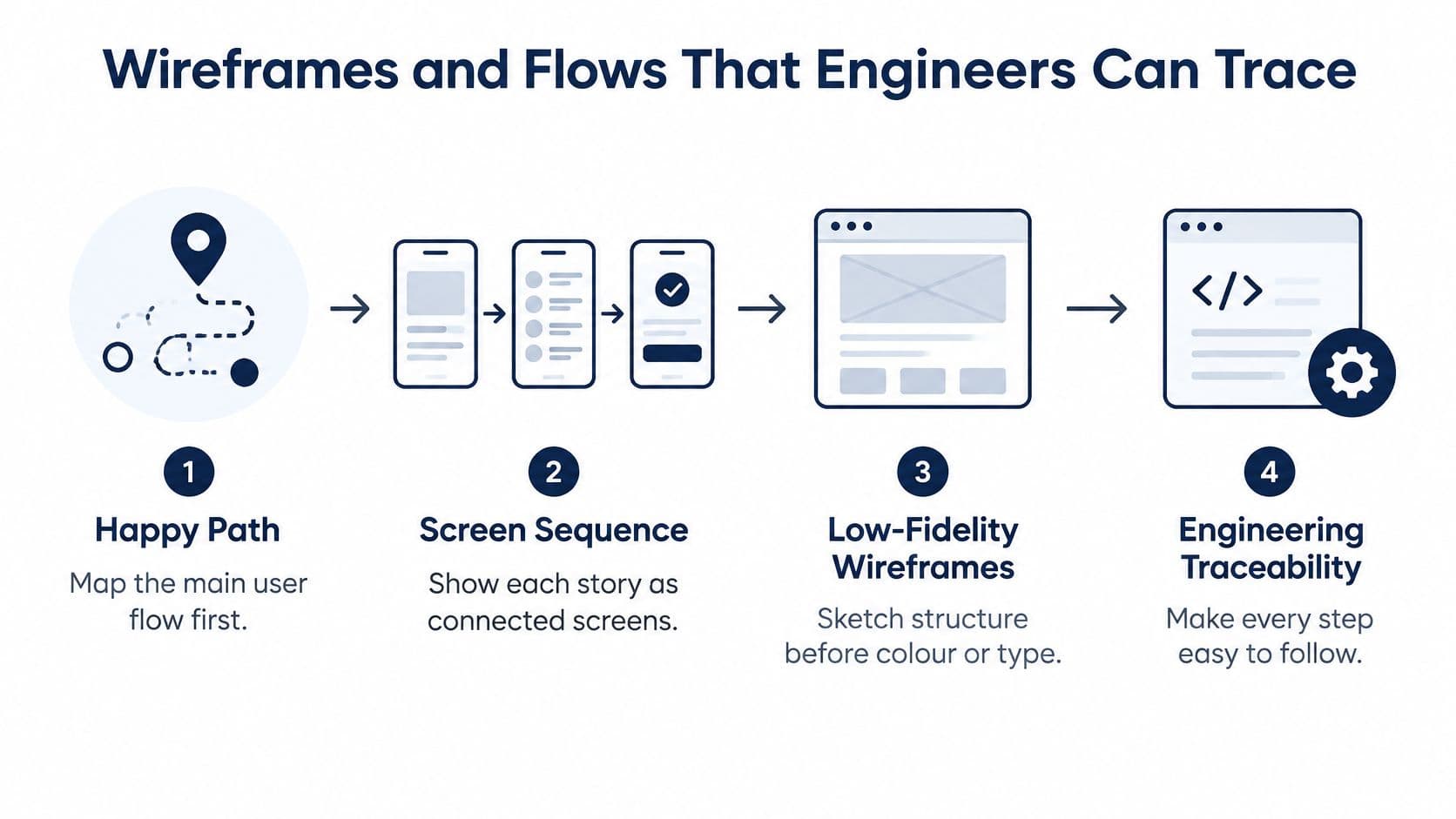
- Map the happy path first: Draw each story as a sequence of connected screens before you detail any single screen.
- Sketch low-fidelity wireframes: Settle structure, order and hierarchy before anyone argues about colour or type. A structured website design mockup process makes this stage easier to review.
- Annotate with story IDs: Every button, field and message should trace back to a requirement. If it serves no story, ask why it's there.
- Draw the states specs usually skip: Empty, loading, failed upload, permission denied, offline and partially completed. One photo upload quickly becomes four screens, and that's the point.
- Write the error copy yourself: If you don't, an engineer will invent it under deadline pressure, and it won't match your tone or your support scripts.
- Test before build: Put a clickable prototype in front of five users and record where they fail. Our Product Design work on days 3 to 5 produces user flows, wireframes, a high-fidelity clickable interactive prototype and UX validation.
Name the devices, screen sizes, browser and operating system versions each flow must support. The UK government service guidance on making services simple to use requires frequent usability testing with actual and potential users, testing every part users interact with, including online and offline elements, and compatibility across a range of devices reflecting users' behaviour.
So replace "easy to use" with something checkable, such as "a first-time user completes the upload in under 60 seconds in four of five sessions". If an engineer could build the screen without asking a question, the annotation is good enough.
Non-Functional Requirements With Testable Thresholds
A requirement such as “the service must be fast” leaves engineers and testers to decide what fast means. Record each quality requirement with a measurable threshold, a test method, the environment and an owner. Use MoSCoW to mark which limits must be met for release and which can wait.
- Performance: For example, 95% of search requests complete in under 800 ms with 200 concurrent users. Define how the team will measure this, and use performance monitoring to track whether the threshold holds.
- Availability: For example, set a 99.9% monthly uptime target and a four-hour recovery time objective. Independent uptime monitoring can provide evidence of outages.
- Security: Specify the authentication method, encryption in transit and at rest, and when penetration testing must take place.
- Compatibility: Name the supported versions, such as the last two major iOS versions and the current and previous versions of Chrome, Safari and Edge.
- Data: State how long data is retained, how deletion works and where personal data is stored.
Accessibility Is a Requirement, Not Polish
Write requirements so a tester can determine whether they have been met. For accessibility, that might mean WCAG 2.2 AA, keyboard completion of each journey, screen-reader announcements for errors, a defined focus order, contrast limits, captions for video and accessible documents.
UK public procurement rules require technical specifications to take accessibility criteria for disabled people or design for all users into account, except in duly justified cases. See regulation 42 of the Public Contracts Regulations 2015.
Record who will assess accessibility, at what milestone and how the team will handle a third-party component that fails. Attach testable criteria to relevant requirements, specify whether testing uses assistive technology, and log exceptions with an owner and remediation deadline. This makes accessibility part of the release decision, rather than an expectation left open to interpretation.
Confirm the Spec With Engineering Before Build
- Run a 45-minute walkthrough: Engineering, design and QA go story by story and ask one question repeatedly: what would make this untestable?
- Agree a Definition of Ready and a Definition of Done: Ready gates what enters sprint planning. Done covers testing, accessibility, security review, analytics events and documentation. The GOV.UK contracting guidance for agile delivery identifies MoSCoW as an appropriate prioritisation method, requires quality standards and thresholds to be explicit, and recommends a Definition of Ready before sprint planning and a Definition of Done before deployment.
- Record decisions and rejected alternatives: Add the date and who decided. Future you will not remember why the cheaper API was refused. Where integrations are involved, concrete API schemas for lead enrichment show the level of detail engineers need.
- Set change control by impact: Anything altering cost, risk, architecture or release timing goes through approval. Low-impact wording fixes stay with the backlog owner.
- Review at every iteration: Remove anything nobody has built or tested. A spec that only grows isn't a record, it's a liability.
A specification is a controlled baseline with review points and decision rules, not a fixed contract pretending nothing will change.
Before build starts, check the outputs exist. Our Validation work on days 7 to 10 produces an interactive proof of concept, development estimates, a prioritised roadmap, a delivery plan and build-ready documentation. Remember, the four things that move a project quote most are the features needed on day one, whether it's web, mobile or both, how much design and discovery it needs, and the systems it has to connect to.
Run the walkthrough this week, then use its output to brief any delivery partner. Our mobile app services and our contact page are the natural next steps once the spec passes.
Questions Teams Ask About Writing a Product Spec
How long should a product specification document be?
It should be as long as necessary to settle decisions, and no longer. For a small app's first release, that's often a few pages, provided each story links to a shared prioritised backlog with IDs, owners and acceptance criteria. Length isn't the quality measure. A short spec where every requirement is testable beats a forty-page document full of "user-friendly" and terms that nobody can verify at acceptance.
Does an MVP need a full spec?
Yes, but scoped tightly to the first release. Specify the problem, the primary users, the must-have stories and the quality thresholds that protect launch, then list exclusions deliberately and mark later phases as hypotheses to validate. For example, "no payments in version one" is a spec decision that saves weeks. Skipping the spec doesn't make an MVP faster. It just moves the arguments into the build, where they're more expensive.
How often should the spec be updated?
Update it at each iteration review and whenever change control approves a change affecting cost, risk, architecture or timing. Keep a dated version history recording what changed, who approved it and which stories it touched. Rejected alternatives belong in the record too, with a one-line reason. A spec that hasn't changed in three sprints usually isn't stable. It has stopped describing the product the team is building.
If your spec is still a feature list, we can help you turn it into a testable, costed build plan through discovery, prototyping and technical definition. Visit Arch to talk through your product, your riskiest assumptions and what a credible first release should include.
About the Author
Hamish Kerry is the Marketing Manager at Arch, where he's spent the past six years shaping how digital products are positioned, launched, and understood. With over eight years in the tech industry, Hamish brings a deep understanding of accessible design and user-centred development, always with a focus on delivering real impact to end users. His interests span AI, app and web development, and the future potential of emerging technologies. When he's not strategising the next big campaign, he's keeping a close eye on how tech can drive meaningful change.
Hamish's LinkedIn: https://www.linkedin.com/in/hamish-kerry/