



Iterative Design Process: A Practical Guide for Teams.
Learn how the iterative design process improves UX. This practical guide covers steps, benefits, and best practices for product teams in 2026.
Iterative Design Process: A Practical Guide for Teams.
You can feel the problem before the feature ships. The mock-up looks tidy, the roadmap is committed, and then one user comment in the first review unravels half the assumptions behind it. That's usually the moment teams realise they didn't need a better opinion, they needed a tighter iterative design process.
Key takeaways
- Iteration is a delivery discipline, not a styling exercise.
- The strongest loops are short, measurable, and closed with a decision.
- Teams that define success metrics early can compare versions instead of guessing.
- Accessibility, GDPR, and public-sector constraints change how fast you can iterate, not whether you should.
- A good loop reduces rework by exposing usability failures before engineering commits fully.
- The process works best when discovery, build, and release share the same feedback rhythm.
Iteration runs inside a wider delivery sequence, and the apps development process from discovery to deployment walks through each stage of it.
Why Most Product Teams Ship Twice
The first time a team ships, it's often shipping a belief. The second time, it's shipping what users needed. I've seen this happen after polished demos, after months of stakeholder alignment, and after a sprint where everyone felt confident until the first round of real use forced a rewrite of the roadmap.
That's not waste, it's reality showing up on time.
A lot of product surprises live in the gap between internal confidence and external behaviour. Teams can sketch a journey that makes perfect sense in the workshop, then watch users skip the path entirely once the product lands in the wild. A structured loop is faster than pretending the first version will hold up, because it replaces guessing with evidence. If you want a useful comparator for this kind of systems thinking, it's worth compare web scraping APIs(compare web scraping APIs) because the same principle applies, different tools expose different trade-offs, and the right selection depends on how quickly you can validate outcomes.
Why the first release is rarely the real one
Users don't read your internal brief. They don't care how elegant the information architecture felt in design review. They care whether the task gets done without friction, and that's why the first release often becomes the first learning pass.
That pattern shows up in real design activity too. In a UK empirical study, participants averaged 8 iterations every 5 minutes, and iteration consumed 31.4% of design time for freshmen versus 39.8% for seniors, which is a reminder that experienced designers spend a bigger share of their time refining instead of marching linearly from concept to completion (UK design activity study). The work already moves in loops, whether the process admits it or not.
Practical rule: if the team feels embarrassed to show version one, version one probably arrived too late.
That's why shipping twice isn't failure. It's the honest cost of learning where the product breaks when real people touch it.
What the Iterative Design Process Means
The iterative design process is a short-cycle loop of designing, testing, and improving the first version of a product. It is not a single pass from brief to launch, and it is not a polite way of saying the team made a few changes after sign-off. Its purpose is to reduce risk fast enough that the next decision is better than the last one.
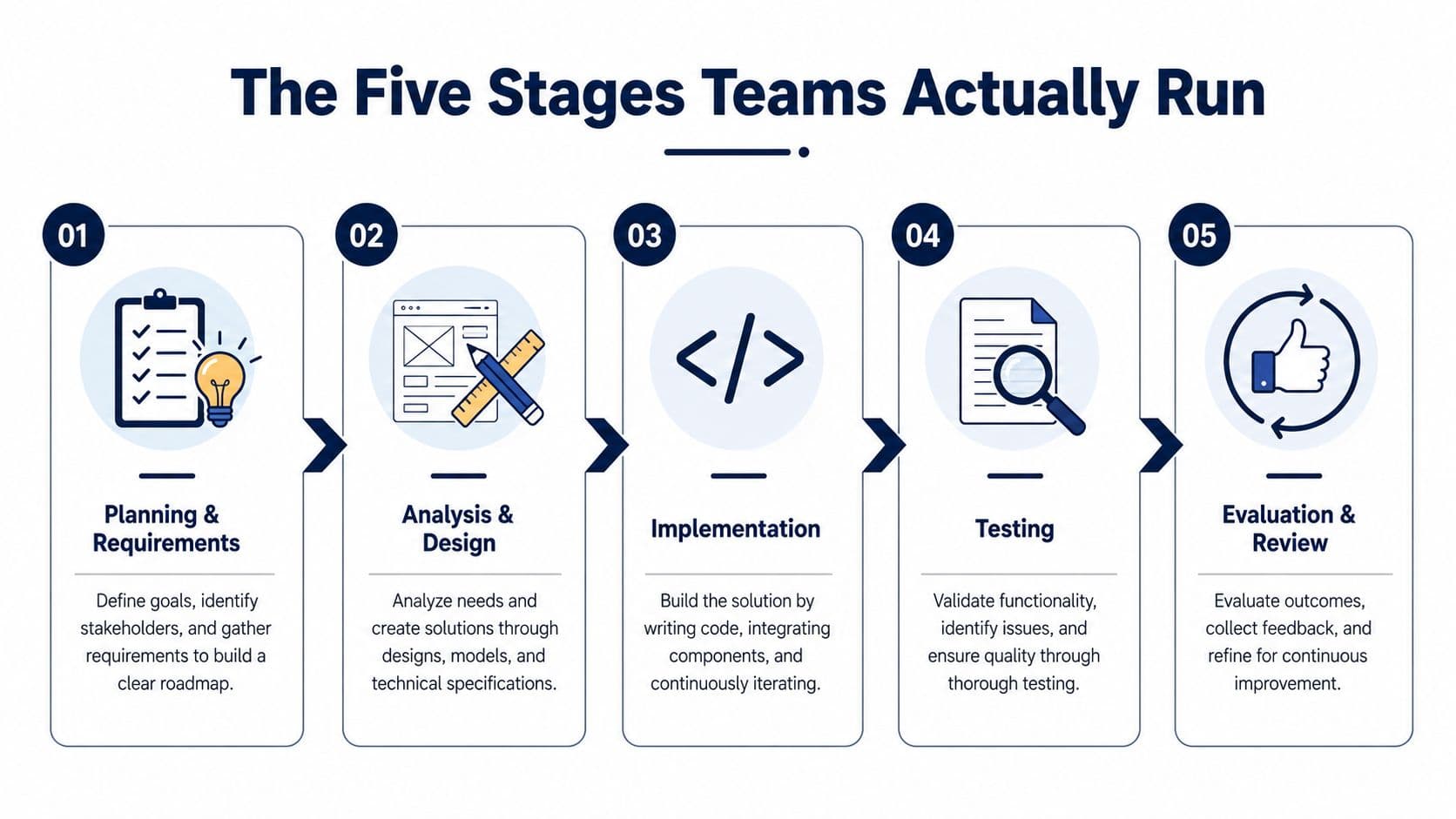
The structure matters because it gives teams a way to ship with evidence. Smartsheet breaks the iterative process into planning and requirements, analysis and design, implementation, testing, and evaluation and review, with each cycle feeding the next one (Smartsheet iterative process guide). In practice, that means gathering the right constraints, shaping a solution, building enough to test, reviewing what broke, then deciding whether the next pass should tighten the scope, fix a usability issue, or remove a risk that would be expensive to discover later.
Linear work versus iterative work
A linear workflow assumes the team can gather enough certainty upfront. Iterative work accepts that product teams rarely get that certainty on the first pass. That does not make the team careless, it makes the team honest about how products behave once users, devices, policies, accessibility rules, and edge cases get involved.
Nielsen Norman Group's guidance on interface redesigns found a median 165% improvement in overall usability from the first to the last iteration, with a median 38% improvement per iteration. They also recommend working through at least three versions of an interface because some usability measures can temporarily decline when a redesign improves other dimensions (NNG iterative design). The practical distinction is simple. A linear team tries to avoid change, while an iterative team plans for informed change and accepts that some improvements come with trade-offs the first time around.
A process is iterative when each cycle changes what the next cycle should do.
That sentence matters because it separates real iteration from cosmetic revision. If the loop does not change the next decision, it is just activity.
The same principle shows up in how teams approach prototyping and testing across product work, including the broader scope of what digital product design really covers. Iteration only works when the team treats design as a way to make better delivery decisions under constraint, not as a list of screens to polish.
For UK teams, those constraints are often more specific than “ship fast.” Accessibility requirements can rule out a tidy interaction pattern. GDPR can limit how much user data a team wants to collect for testing. Public-sector work can add review layers that slow feedback unless the team plans the loop carefully. A good iterative process does not ignore those constraints, it uses them to decide what gets tested early, what gets deferred, and what would be too expensive to change after build starts.
The Five Stages Teams Actually Run
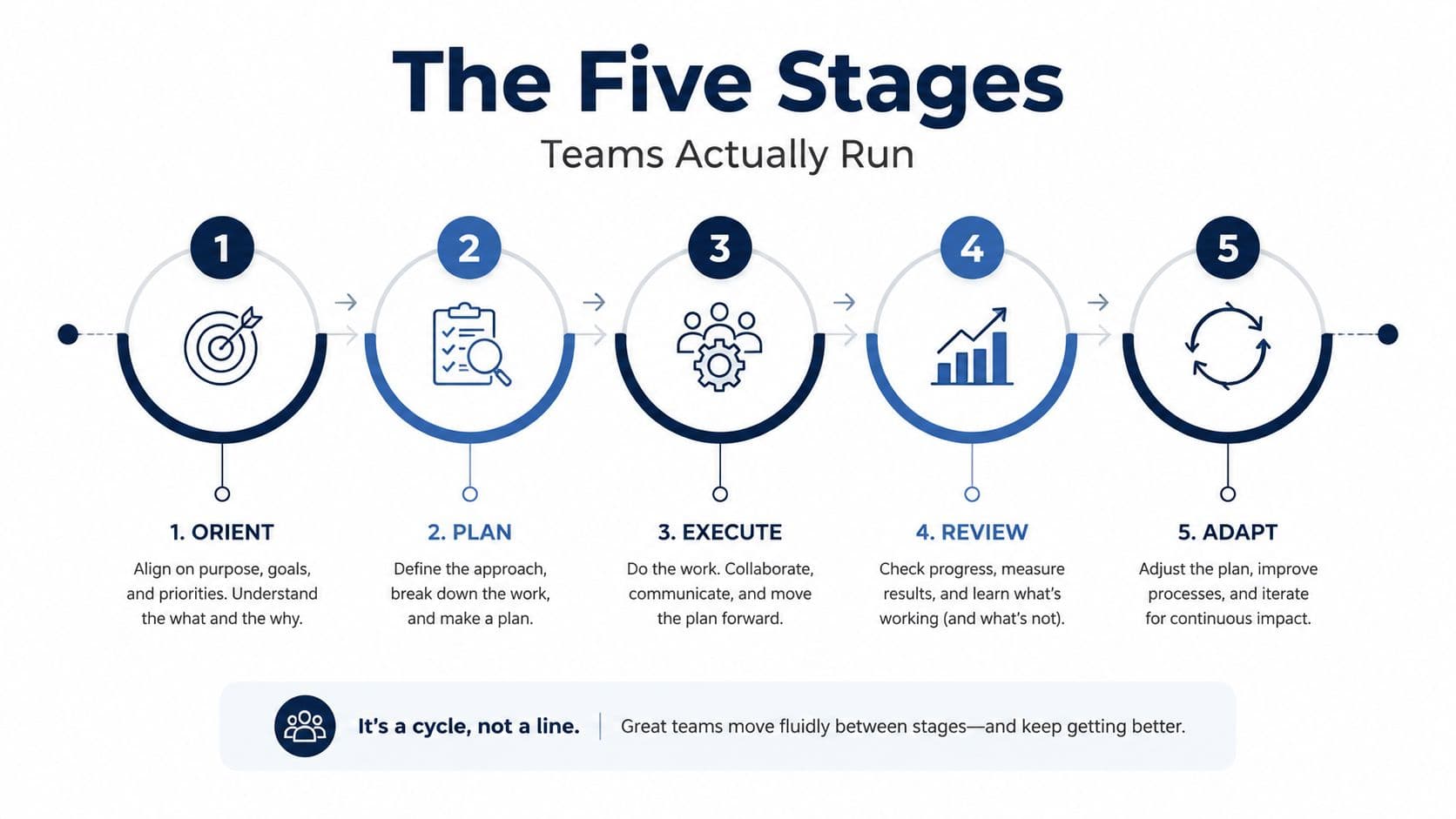
A real loop gets easier to manage when everyone can name what each stage produces. Smartsheet's five-step model is a solid operational baseline, and it maps well to how teams move when the work is behaving properly.
Planning and requirements
This stage should produce a clear problem statement, the user need, the acceptance criteria, and the constraint set. Product managers usually own the “what problem are we solving” part, while design and delivery leads pressure-test whether the scope is testable. The common failure mode is vague requirements that sound strategic but do not become measurable.
Analysis and design
Wireframes, flows, sketches, and hypotheses should come out of the room. Designers usually lead, but good delivery teams pull in engineering and research early so the design isn't already drifting out of feasibility. The trap here is polishing a solution before anyone has checked whether it still maps to the original need.
Implementation
Implementation turns the concept into a buildable thing. Engineers own this stage, but strong teams keep design review close enough that changes don't pile up in a final handoff. The failure mode is building a detailed version of the wrong idea, which is expensive even when it's beautifully coded.
Testing
Testing should reveal where the system fails under real use. Research and design usually coordinate it, while product leadership helps decide whether the findings are severe enough to alter the plan. If testing only confirms what the team already believed, it's probably too polite to be useful.
Evaluation and review
This stage closes the loop. The team compares the result against the original requirements, reviews the evidence, and decides whether to iterate again, ship, or pivot. The failure mode is one that many teams know too well, feedback gets collected, but no one makes the call.
The cleanest teams I've worked with treat the output of one stage as the input of the next. That keeps the process honest, and it also makes the skipped stage obvious. Usually, it's the feedback stage that disappears first.
How Iteration Fits Discovery, Agile and MVPs
Discovery, agile delivery, and MVP work often get described as separate practices, but they're only useful when they share the same learning loop. A discovery sprint is just the first fast iteration, one that clarifies the problem before the team spends heavily on build. If you want a compact framing of that front-end of the process, Arch's overview of what discovery means in product work follows the same principle: reduce uncertainty before commitments harden.
The role each mode plays
Discovery should answer whether the team is solving the right problem. Agile should answer whether the team is building the thing in a way that keeps learning alive. MVP work should answer whether the smallest version of the product teaches the team enough to justify the next investment.
That means an MVP is not a tiny final product. It's a deliberately incomplete release that exists to learn something useful before the team expands the surface area. If it teaches the wrong lesson, the release still failed, even if it shipped on time.
Agile ceremonies only earn their keep when they close a real feedback loop. A sprint review that becomes a showcase without a decision is just theatre with a backlog. Retrospectives matter when they change the next cycle, and stand-ups matter when they remove blockers that would otherwise distort the test data.
Useful test: if the end of the sprint doesn't change what the team believes, the sprint was probably a delivery event, not an iteration.
That's why iteration is connective tissue, not a separate ritual. It links research, build, and release into one sequence of evidence. The more clearly the team sees that, the less likely it is to treat discovery as a workshop, agile as administration, and MVPs as half-finished products.
Measuring Whether the Loop Is Working
A team can ship a new screen, feel productive, and still have no proof that anything improved. The cleaner way to run iteration is to define the baseline before the change, then compare the next version against it. That matters in UK product work as much as anywhere else, because accessibility fixes, GDPR constraints, and public-sector approval steps can change the shape of the loop, but they do not remove the need to measure it.
Metrics worth using before the build starts
The most useful metrics are the ones the team can act on quickly. Task completion rate tells you whether people can finish the job. Error rate shows where the design creates avoidable friction. Time on task helps reveal whether the flow is efficient or just familiar to the team who built it. Abandonment rate flags where users walk away before the value lands.
Qualitative evidence still matters too. A small number of usability tests can expose hesitation, confusion, or workarounds that the dashboard will miss, and a practical usability testing methods guide helps teams choose the right format for the question they need answered. That is also why repeated design passes matter, because a single round rarely shows whether the change held up once real users met it.
What makes a metric decision-useful
A metric only helps if the next prototype can be compared with a baseline. Teams usually lose that thread when they start with aesthetics instead of success criteria. The Government Digital Service expects teams to iterate with user research and evidence, and that means each cycle should be checked against a defined user need, not against internal preference.
For teams that want a simple operating rule, use this:
- Pick one primary metric: choose the outcome that shows whether the journey improved.
- Add one friction metric: use error rate, abandonment, or time on task to catch side effects.
- Capture one qualitative signal: note what users struggled with, not just what they clicked.
- Set the comparison point first: do not change the design before the baseline is recorded.
- Make the next decision explicit: ship, test again, or stop.
The loop earns its keep. If a release does not change the team's decision, the team has run a delivery event, not an iteration.
Pitfalls That Kill the Loop
The fastest way to ruin iteration is to confuse motion with learning. Teams often do this with tiny visual tweaks, then call it progress because the screen looks different. That's iteration theatre, and it usually means nobody agreed on what success was supposed to look like.
The three failures that show up most often
Loops that never close are the next problem. Feedback gets collected in workshops, comments get added to docs, and nobody makes the decision that would turn those notes into a change. The team looks collaborative, but the process is just storing uncertainty for later.
Metric blindness is subtler. The team has opinions, screenshots, and strong feelings, but no baseline to compare against. In that state, every revision sounds reasonable and none of them are provably better.
The third failure is the one UK teams can't afford to ignore, especially in public-facing and regulated work. Iteration that treats accessibility, GDPR data-minimisation, or procurement constraints as late-stage cleanup will stall as soon as the compliance issue surfaces. The Government Digital Service has long treated iteration as part of user-centred service delivery, and the UK context adds accessibility and governance responsibilities that generic UX advice often leaves out (UK iteration guidance).
If a change can't be tested within the constraints it must live in, it isn't ready to iterate.
That is the hard truth. A slower linear plan can sometimes be safer than fake iteration, because at least the team knows it has not learned anything yet. Bad iteration gives people the illusion of progress while hiding blockers until they are expensive.
Iterative Design in Real Product Builds
The most useful way to judge iteration is to watch it under real delivery pressure. In a mobile build, rapid prototyping and field testing with trade users can reshape onboarding before production code becomes expensive to unwind. In a web platform, accessibility testing and stakeholder feedback loops work well when they're scheduled into every sprint, not bolted on once the interface looks “done.”
That approach fits the rhythm of live product work because it protects launch dates instead of threatening them. The team learns earlier, which means fewer surprises at the end, and the scope becomes easier to defend because each adjustment has evidence behind it. I've seen that same discipline in Arch projects where discovery, design, and engineering stayed close enough to avoid late rework, including work around mobile app development and delivery-heavy engagements where the team kept comparing what users did against what the product was supposed to do.
What disciplined iteration looks like on the ground
The pattern is usually the same. Research surfaces a user need, design explores a few ways to meet it, engineering builds the smallest credible version, and testing either confirms the direction or forces a pivot before the next tranche of work. The loop stays useful because each pass narrows the unknowns.
The part teams often miss is the cadence. If accessibility checks, stakeholder reviews, and user tests all happen at the end, the process stops being iterative and starts being defensive. If they happen inside the sprint, the team can make decisions while the cost of change is still low.
A studio partner can matter if the team needs practical help turning the loop into delivery discipline. Arch, for example, works across discovery, UX, development, and testing so the process doesn't split into silos mid-build. The value isn't a prettier interface, it's a sequence that keeps evidence flowing into the next decision.
A 30-Day Plan to Run on Monday Morning
Start with one journey, not the whole product. Pick the path that's causing the most friction, define a baseline metric this week, then run one discovery cycle next week so the team can agree on the problem before any redesign starts. In week three, prototype and test the change, and in week four, make a measured ship-or-pivot call based on what the evidence says.
The artefacts every loop should produce
- A baseline statement: what's happening now, in plain language, before the change.
- A user need summary: the one problem the iteration is trying to solve.
- A prototype or draft: something the team can test instead of discussing in the abstract.
- A test note: the behaviours, blockers, and surprises that showed up.
- A decision record: ship, revise, or stop, with the reason attached.
That set of artefacts tells you whether the team is learning or just staying busy. It also makes the next planning meeting easier, because the conversation moves from opinion to evidence. If you can defend the loop once, you can usually defend it again.
FAQ
What makes a design process iterative?
A design process is iterative when each cycle produces evidence that changes the next version. It isn't enough to revise a screen or update a flow. The team needs a clear baseline, user feedback, and a decision at the end of the loop. If the next step is identical no matter what the test found, the process is busy, not iterative.
How many iterations should a team plan for?
There isn't a universal number that fits every product, because the right answer depends on risk, complexity, and how much the team learns from each pass. What matters more is whether the loop is short enough to keep feedback fresh and whether each round changes a real decision. Teams should stop when the evidence says the design is stable enough for the next stage.
Why do UK teams need to think about accessibility and GDPR in iteration?
Because those constraints change how the loop is run. If the prototype ignores accessibility or data-minimisation, the feedback will be incomplete and the redesign may fail later for reasons the team could have caught earlier. UK product work often has to satisfy public-facing standards, so iteration has to include compliance checks as part of the learning process, not as a final audit.
What's the difference between iteration and rework?
Iteration is intentional learning. Rework is usually the cost of missing something earlier. In a proper loop, the team changes the design because testing revealed a better direction. In rework, the team changes it because the original version broke, missed the requirement, or failed the user after too much time had already been spent.
How does iterative design fit with agile delivery?
Agile helps teams deliver in short cycles, but agile alone doesn't guarantee learning. Iterative design gives those cycles a purpose by tying each sprint or release to a testable hypothesis, a baseline, and a decision. When the sprint review closes the loop, agile becomes a learning system instead of just a shipping schedule.
What should a team measure first?
Start with the metric that best reflects whether the user completed the job. That might be task completion rate, error rate, time on task, or abandonment rate, depending on the journey. Add one qualitative signal from usability testing so you know why the number moved. The point is to compare the new version against a baseline, not to collect every metric available.
About the Author
Hamish Kerry is the Marketing Manager at Arch, where he has spent the past six years shaping how digital products are positioned, launched, and understood. With over eight years in the tech industry, he has a deep understanding of accessible design and user-centred development, with a focus on delivering real impact to end users. His interests include AI, app and web development, and the transformative potential of emerging technologies. Outside campaigns, he follows how tech can drive meaningful change.
Hamish's LinkedIn: https://www.linkedin.com/in/hamish-kerry/
If your team needs help turning a loose feedback loop into a delivery rhythm, Arch can support discovery, prototyping, design, and build across web and mobile products. Visit Arch to see how that process works in practice and start a conversation about the next version of your product.